

Dental Front Desk Privacy: 2026 HIPAA Safeguard Guide
Review dental front desk privacy for screens, conversations, sign-in workflows, printers, documents, patient flow, renovations, and reasonable HIPAA safeguards.
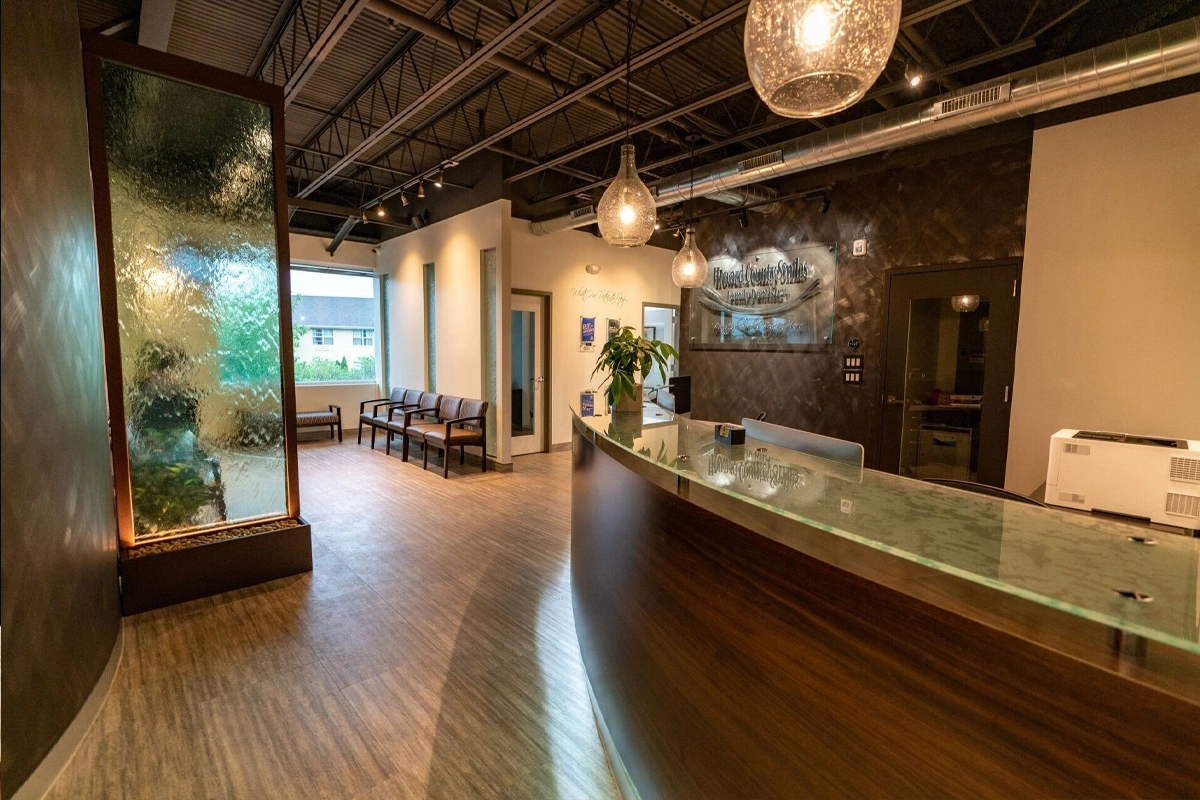
Dental reception and checkout areas handle a concentration of protected information in a space that is intentionally open to patients and visitors. HHS does not require every healthcare office to rebuild with private rooms or soundproof walls, but covered entities must use reasonable administrative, technical, and physical safeguards to limit impermissible disclosures and unnecessary incidental exposure. A useful front-desk privacy review therefore looks at layout, sightlines, conversations, printers, documents, screens, patient flow, and workstation behavior together.
Key Takeaways
HHS requires reasonable privacy safeguards but does not require healthcare offices to retrofit private rooms or soundproof walls simply to eliminate every possible incidental disclosure.
Review the complete front-desk workflow: screens, printed documents, printers, phones, conversations, sign-in, patient queues, shredding, unattended workstations, and visitor sightlines.
Renovations are the best time to solve structural privacy problems because counters, cabling, monitor arms, printer placement, acoustic treatment, and patient traffic can be planned together.
Why is the dental front desk a unique privacy zone?
Reception sits at the boundary between public space and clinical/business operations. Staff may discuss appointments, insurance, treatment estimates, medications, records, balances, referrals, or messages while patients wait only a few feet away. Screens and printers may also expose information without anyone speaking.
Because the area has legitimate public access, the goal is not to make it inaccessible. The goal is to identify predictable exposures and use reasonable safeguards so information is shared with the right person in the right context while unnecessary viewing or overhearing is reduced.
Does HIPAA require rebuilding the reception area?
HHS states that the Privacy Rule does not require hospitals and doctors' offices to retrofit private rooms or soundproof walls to avoid every possibility that a conversation is overheard. Covered entities must use reasonable safeguards appropriate to their circumstances.
That leaves room for practical improvements: reposition monitors, create distance from waiting seats, lower call volume, use a consultation space for sensitive discussions, move printers behind staff, add privacy screens, adjust queue flow, or change how documents are handed to patients. Major construction may be helpful during a planned renovation, but it is not the default answer to every privacy issue.
What should be checked around front-desk screens?
Stand in the waiting area, at the check-in line, beside the counter, and near hallways. Determine whether schedules, charts, messages, insurance screens, email, payment information, or patient lists are readable. Review both main and secondary monitors and what happens when staff step away.
Use monitor orientation, automatic locking, privacy filters, reduced on-screen clutter, and role-based access together. A screen that is perfectly angled but permanently unlocked still creates risk, and a short timeout does not solve a monitor that directly faces the waiting room while in active use.
How should printers, scanners, and paper be arranged?
Place devices that routinely produce patient information where output is under staff control rather than beside a public counter or corridor. Establish a process for collecting print jobs promptly, clearing scanner originals, handling misprints, and securing documents waiting for pickup, signature, or filing.
Review shred containers and temporary storage too. A locked shred bin can be useful, but not if printed treatment plans pile up beside it for days. The physical workflow should make the secure action easier than the insecure shortcut.
What about conversations and phone calls?
Train staff to lower unnecessary detail in public areas and move especially sensitive discussions to an appropriate location when practical. Verify identity before discussing records or account information by phone, and avoid broadcasting full details merely because the front desk is busy.
HHS permits certain incidental disclosures when the underlying use is permitted and reasonable safeguards are in place. That does not mean every overheard conversation is acceptable. The practice should design routines that reduce avoidable exposure without making normal care impossible.
How can renovations improve privacy without hurting patient flow?
During design, map the patient journey from entry to check-in, waiting, operatory, checkout, and exit. Then overlay monitors, printers, phones, staff work zones, network drops, power, cameras, and document-handling points. Small placement choices can prevent years of awkward workarounds.
Include the clinical and administrative team in the review because architects and IT staff may not see the same workflow pressures. Test sightlines and conversations at realistic standing and seated heights before millwork and cabling make the layout expensive to change.
What belongs in a front-desk privacy walkthrough?
Observe one normal check-in and checkout cycle without recording patient information. Note screen visibility, waiting-room distance, documents on counters, printer output, phone volume, sign-in method, payment workflow, visitor movement, and what happens when the receptionist leaves the desk.
Turn observations into assigned corrections and policy updates. Recheck after the changes, and repeat when the office renovates, moves equipment, changes software, adds kiosks or tablets, or redesigns the patient flow.
Sources and References
Primary sources used for this article
Regulations, product support information, and incident details can change. Review the linked primary sources for the latest status.
HHS guidance on reasonable safeguards and permitted incidental disclosures.
HHS explanation that private rooms and soundproofing are not universally required retrofits.
OCR criteria related to workstation use/security and physical safeguards.
Common Questions
Frequently asked questions
Does HIPAA require a private room for every front-desk conversation?
No. HHS does not require healthcare offices to retrofit private rooms or soundproof walls for every conversation. Practices should use reasonable safeguards and move especially sensitive discussions when practical.
Can a dental office use a patient sign-in sheet?
HIPAA permits certain sign-in practices when information is appropriately limited. Avoid displaying unnecessary clinical or sensitive details and design the process so one patient does not receive more information about another than needed.
Should the front-desk printer be visible to patients?
Prefer a placement where printed patient information remains under staff control. If a device must be near a public area, use procedures that prevent output from sitting unattended or being collected by the wrong person.
Are privacy screens enough for reception computers?
They can help with side-angle viewing, but they do not replace monitor orientation, automatic locking, individual access, staff behavior, and control of documents and conversations.
Can a practice discuss insurance at checkout?
Yes when needed for the patient's care or payment workflow, but staff should use reasonable safeguards, verify the person involved, and avoid unnecessary details that can easily be moved to a more private setting.
When should IT be involved in a dental renovation?
Early enough to influence cabling, power, workstations, displays, printers, network equipment, phones, security devices, and patient-flow decisions before construction makes changes expensive.