

Dental Printer & Scanner Security: 2026 HIPAA Guide
Secure dental printers, scanners, and copiers with strong credentials, network controls, scan accounts, updates, ePHI handling, and safe disposal.
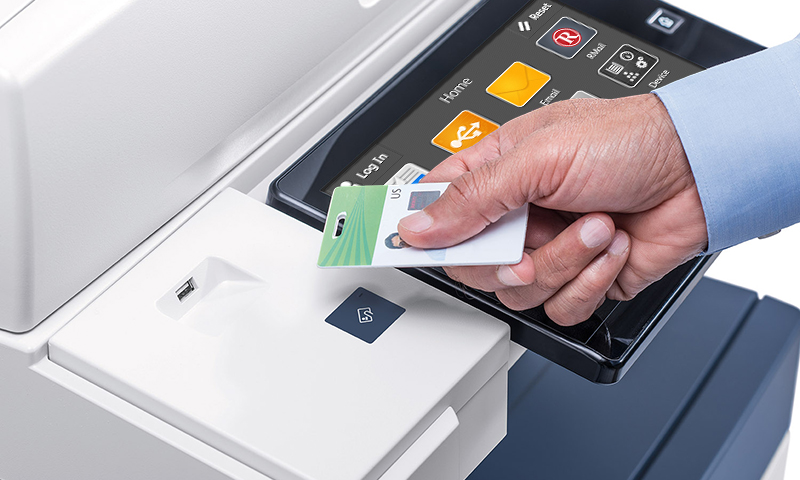
Dental practices depend on printers, scanners, copiers, label printers, and multifunction devices for records, insurance, referrals, patient forms, imaging-related paperwork, and administration. CISA has specifically warned that printers and scanners commonly retain default credentials and may even contain privileged domain accounts used for scan-to-folder or scan-to-email workflows. HHS has also enforced HIPAA in a photocopier breach involving hard drives that were returned without erasing stored ePHI. The practical lesson is simple: networked printers and scanners belong in the security and lifecycle inventory, not outside it.
Key Takeaways
Change default administrative credentials and avoid loading broad domain-administrator credentials into printers or scanners for convenience.
Document scan-to-email, scan-to-folder, address-book, storage, firmware, network, and vendor-access settings as part of the device inventory.
Before return, resale, reuse, or disposal, determine whether the device contains storage with ePHI and follow the practice's documented media-sanitization process.
Why are dental printers and scanners a security issue?
Modern multifunction devices can have web administration, internal storage, address books, scan-to-email, scan-to-folder, cloud connectors, firmware, network services, and service accounts. That makes them small networked computers even if staff think of them as appliances.
If the device handles patient forms or scanned records, its workflow may involve PHI or ePHI and should be included in the practice's risk analysis and device inventory.
Why do default credentials matter?
CISA and NSA have highlighted default credentials as a common cybersecurity misconfiguration and specifically call out printers and scanners as devices where built-in credentials can enable unauthorized access.
Change default administrator passwords during deployment, document ownership securely, and remove unused accounts. Do not leave a vendor-known default simply because the device sits inside the office.
How should scan-to-folder and scan-to-email accounts be designed?
Use the least privilege necessary. A printer that only needs to write scanned files to one folder should not use a broad domain administrator account. A scan-to-email workflow should use a dedicated supported method rather than an employee's personal mailbox password.
Document the account, owner, purpose, permissions, password rotation or authentication method, and what will break if the credential changes.
Where should printers sit on the dental network?
Place devices according to the practice's segmentation and workflow requirements rather than allowing unrestricted access everywhere. Limit management interfaces and unnecessary services to the systems and administrators that need them.
Test clinical and administrative printing after any segmentation or firewall change. Security controls should be deliberate without breaking PMS, imaging, forms, labels, or scan workflows.
What should be reviewed during maintenance?
Track firmware or vendor-supported updates, admin credentials, network address, hostname, certificates where applicable, enabled protocols, stored address books, scan destinations, vendor remote access, and service-account permissions.
If the device is leased, document who owns configuration and data sanitization responsibilities when the lease ends.
What happens when the printer or copier leaves the office?
HHS has documented a HIPAA settlement involving photocopier hard drives returned to a leasing company without erasing stored ePHI. A device leaving service should therefore be evaluated for internal storage before return, resale, reuse, recycling, or disposal.
Follow the practice's media-sanitization process and keep evidence of what was done. A factory reset is not automatically equivalent to validated sanitization for every model.
Sources and References
Primary sources used for this article
Regulations, product support information, and incident details can change. Review the linked primary sources for the latest status.
Guidance specifically noting default credentials on printers and scanners and the risk of privileged domain accounts loaded on these devices.
HHS enforcement example involving ePHI left on photocopier hard drives returned to a leasing company.
Current device/media, workstation, access-control, and physical safeguard requirements.
Common Questions
Frequently asked questions
Can a dental copier store patient data?
Yes. Some multifunction devices contain internal storage and may retain copies, scans, address-book data, or job information. Check the specific model and configuration.
Should printers use the domain administrator account for scan-to-folder?
No. Use the least privilege required for the workflow. Broad privileged credentials create unnecessary risk if the device is compromised.
Does HIPAA specifically regulate printers?
HIPAA is technology-neutral, but printers, scanners, and copiers that create, receive, maintain, or transmit ePHI fall within the practice's safeguard and device/media responsibilities.
Should printer firmware be updated?
Follow supported vendor guidance and change-management practices. Networked devices should not be excluded from lifecycle and vulnerability management simply because they are not workstations.
Can a leased copier be returned without data review?
No assumption should be made. Determine whether the device stores ePHI and complete the documented sanitization or vendor process before it leaves the practice.
Should printers be inventoried?
Yes when they are network-connected, store data, use credentials, or support critical workflows. Record ownership, model, network location, administration, support, and retirement requirements.