

Dental Monitor Placement: 2026 HIPAA Privacy Guide
Review dental monitor placement, patient sightlines, privacy screens, operatory displays, front-desk workstations, and physical HIPAA safeguards.
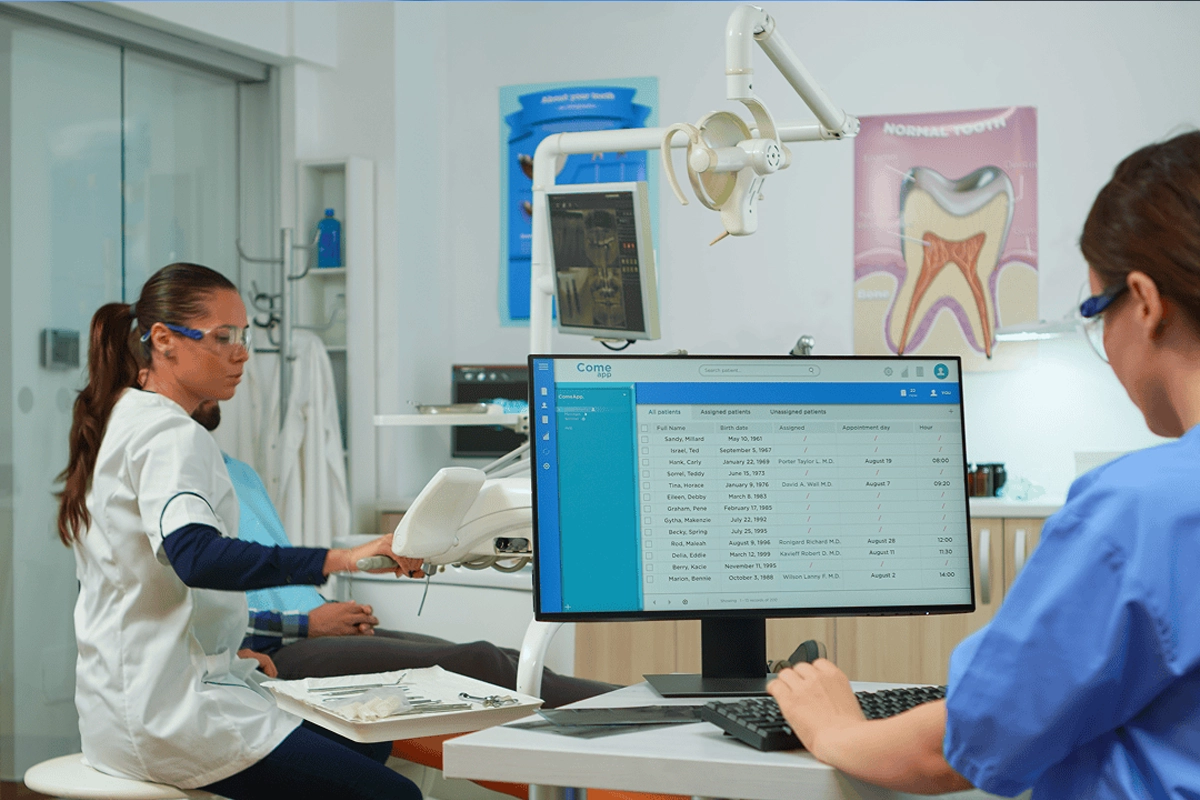
Dental practices often focus HIPAA technology reviews on passwords, encryption, backups, and cybersecurity software, while one of the easiest exposures to understand is physical: who can see the screen. HHS physical-safeguard guidance specifically addresses workstation surroundings, workstation security, and limiting unauthorized viewing of sensitive information. OCR's audit protocol includes workstation location and physical protections such as privacy screens among the evidence it may examine. Monitor placement should therefore be treated as part of workstation design, not just an interior-design preference.
Key Takeaways
HIPAA physical safeguards include workstation use and workstation security; practices should consider the physical surroundings of workstations that access ePHI.
OCR audit guidance looks at workstation location, unauthorized viewing, physical restriction, privacy screens, system timeouts, and authentication as part of workstation-security review.
There is no rule that every dental monitor must use one identical angle or privacy filter. Controls should match the room, workflow, traffic pattern, and risk of unauthorized viewing.
Why does monitor placement matter for HIPAA?
A workstation can be technically well secured and still expose information visually. Scheduling screens, patient charts, radiographs, treatment plans, insurance details, email, and billing information may be visible to patients, visitors, delivery personnel, cleaning staff, or other people who do not need that information. Physical safeguards are intended to reduce that kind of unauthorized access while allowing legitimate clinical work to continue.
The review should focus on realistic lines of sight rather than perfect secrecy. Walk the office as a patient would: waiting room, check-in, hallway, checkout, consultation area, and operatories. Sit in patient chairs and companion chairs. Look through open doors. Then identify screens that routinely display ePHI and decide whether orientation, distance, locking behavior, furniture, or a privacy filter should change.
What does HHS say about workstation surroundings?
The HIPAA Security Rule's physical safeguards include workstation use and workstation security. HHS says regulated entities should implement policies and procedures specifying proper workstation functions and physical safeguards for workstations that access ePHI. OCR's audit protocol asks how a practice addresses the physical surroundings of specific workstation types and whether unauthorized persons can view sensitive information.
The rule does not prescribe one office layout. A reception workstation, consultation-room display, imaging computer, checkout station, and operatory monitor may need different controls because their users, traffic, and viewing angles differ. The practice should be able to explain why the selected controls are reasonable for each class of workstation.
Which dental screens deserve the first review?
Start with high-traffic and patient-facing areas: reception, checkout, consultation rooms, operatories near hallways, imaging rooms with open doors, and mobile laptops or tablets. Screens that routinely show schedules, charts, images, or financial information deserve priority because exposure can happen during normal work, not only during an unusual incident.
Also review secondary screens. A wall-mounted display used for patient education may switch back to a clinical desktop. A second monitor may be angled toward a doorway. An imaging workstation may remain signed in after a team member moves to another room. Include every display that can present ePHI, not only the primary front-desk computer.
When is a privacy screen useful?
A privacy filter can reduce side-angle visibility where monitor orientation alone cannot solve the problem. It can be useful at front desks, narrow checkout stations, shared rooms, mobile laptops, or locations where patients pass close to a screen. OCR's edited audit protocol specifically mentions privacy screens as an example of physical workstation protection that auditors may observe.
Privacy filters are not a substitute for basic workflow controls. Staff should still lock unattended systems, avoid leaving sensitive windows displayed unnecessarily, and position equipment thoughtfully. Filters can also reduce brightness or image quality, so imaging and treatment-planning workstations should be tested before a filter is standardized across the office.
How should operatories and consultation rooms be handled?
Clinical rooms are different from a public waiting area because a patient may legitimately need to see images or treatment information. The goal is controlled viewing for the current patient, not hiding all clinical information. Position the display so the provider can share information intentionally without making it easy for people in the hallway or adjacent spaces to view another patient's record.
Review what happens between appointments. If the prior patient's chart remains on screen while the next patient enters, the problem is workflow as much as placement. Configure appropriate locking or sign-out behavior, train staff to close or switch records, and test whether the clinical team can follow the policy without creating unsafe or impractical delays.
Should a dental practice rebuild the office for privacy?
HHS has stated that the Privacy Rule does not require hospitals or doctors' offices to retrofit facilities with private rooms or soundproof walls simply to eliminate every possibility of an incidental disclosure. Organizations are expected to use reasonable safeguards appropriate to their circumstances. That principle supports practical changes such as repositioning displays, adjusting workflow, adding screens, and controlling unattended access before assuming major construction is required.
Renovations are still an excellent time to fix recurring privacy problems because furniture, power, cabling, monitor arms, room orientation, check-in flow, and equipment placement can be planned together. A technology review during design can prevent a new front desk or operatory from permanently embedding a poor line of sight.
What should a 15-minute monitor privacy walkthrough include?
List every workstation that can display ePHI. For each one, note its location, primary user role, normal content, patient or visitor traffic, view from doors and hallways, automatic-lock behavior, and whether a privacy filter or repositioning is needed. Capture corrective actions without photographing real patient information.
Repeat the walkthrough after furniture moves, renovations, new operatories, workstation replacements, or major workflow changes. The result should become part of the practice's physical-safeguard documentation and workstation-use procedures so the reasoning survives staff turnover and future remodels.
Sources and References
Primary sources used for this article
Regulations, product support information, and incident details can change. Review the linked primary sources for the latest status.
Current HHS summary of workstation use/security and other physical safeguards.
OCR audit criteria addressing workstation location, surroundings, unauthorized viewing, and physical restriction.
HHS explanation of physical safeguard standards.
Common Questions
Frequently asked questions
Does HIPAA require privacy screens on every dental computer?
No universal HIPAA rule requires a privacy filter on every workstation. The practice should assess workstation location, physical surroundings, traffic, viewing risk, and other safeguards, then choose controls appropriate to the situation.
Can patients see their own X-rays on an operatory monitor?
Yes. A patient may legitimately view their own information during care. The practice should design the workflow so information for a different patient is not left visible before or after that encounter.
Are front-desk monitors a HIPAA risk?
They can be when schedules, demographics, insurance, messages, or charts are visible to people who do not need them. Orientation, distance, privacy filters, locking, and staff workflow can reduce that risk.
Does HIPAA require private rooms or soundproof walls?
HHS states that the Privacy Rule does not require facilities to retrofit private rooms or soundproof walls merely to eliminate every possible incidental disclosure. Reasonable safeguards are required based on the circumstances.
Should imaging monitors use privacy filters?
Sometimes, but image quality and viewing requirements matter. Test any filter with the actual imaging workflow and vendor requirements before standardizing it. Repositioning and access controls may be better for some clinical displays.
When should monitor placement be reviewed?
Review during new-office design, renovations, workstation moves, equipment replacements, changes to patient flow, and periodic physical-safeguard assessments. Event-driven reviews are especially useful because room layout changes can create new sightlines.