

Critical PHP Security Patches: What Dental Website Owners Must Check
On October 21, 2026, PHP released emergency updates for two critical vulnerabilities, CVE-2026-109618 and CVE-2026-109619. Both can enable unauthenticated re
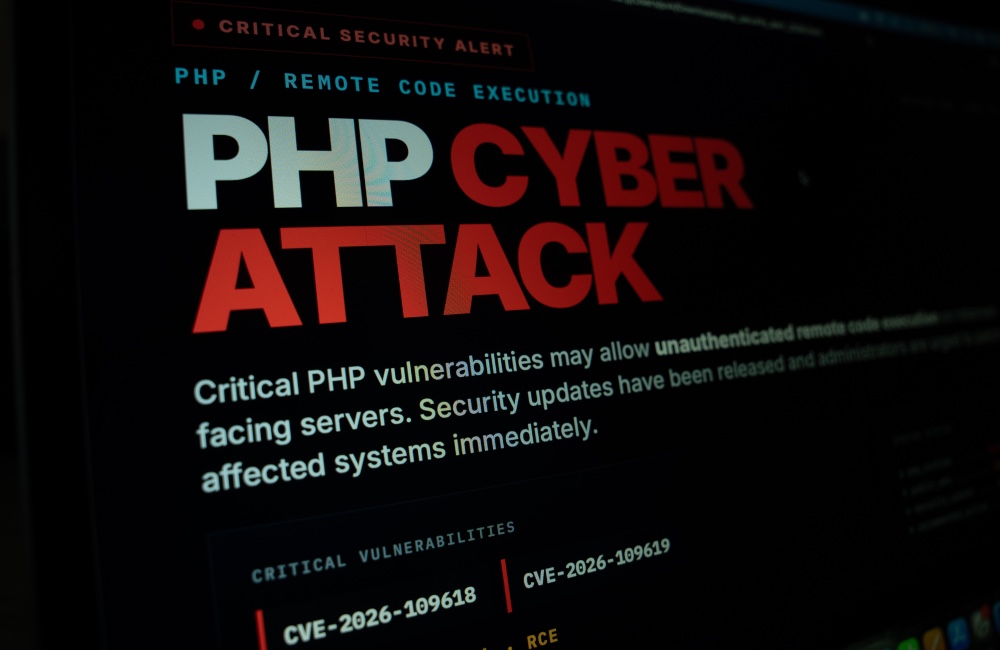
On October 21, 2026, PHP released emergency updates for two critical vulnerabilities, CVE-2026-109618 and CVE-2026-109619. Both can enable unauthenticated remote code execution on vulnerable servers. Dental practices with WordPress or other PHP-powered sites should verify the PHP runtime running on their host, not just update the WordPress dashboard.
Key Takeaways
The October 21 security fixes were issued as PHP 8.5.12, 8.4.27, 8.3.36 and 8.2.35. PHP 8.2 approaches end of security support on December 31, 2026, making its longer-term upgrade plan especially important. Hosting providers may distribute backported patches, so verify the provider's security advisory and package revision before concluding that an apparently older version is unpatched.
These vulnerabilities are in the PHP runtime, rather than WordPress core. Updating WordPress plugins or themes does not itself install the required PHP runtime fix. Likewise, a web application firewall may reduce some exposure but is not a complete mitigation. Coordinate a vendor-supported PHP update with the hosting provider.
Record the PHP release or vendor patch, host confirmation, date applied, service testing, log review, accountable owner and remaining work. For an unsupported installation, plan a supported PHP migration. If the provider cannot remediate promptly, discuss isolation or temporary suspension of the affected public application rather than relying on an untested workaround.
What happened or changed?
The October 21 security fixes were issued as PHP 8.5.12, 8.4.27, 8.3.36 and 8.2.35. PHP 8.2 approaches end of security support on December 31, 2026, making its longer-term upgrade plan especially important. Hosting providers may distribute backported patches, so verify the provider's security advisory and package revision before concluding that an apparently older version is unpatched.
For dental practice owners and office managers, the useful next step is to assign responsibility, establish a documented approval and record actual evidence of the result. Clinical environments differ in software, hardware and vendor support. Do not make untested configuration changes to production systems while patients are being treated; coordinate with the relevant provider and the practice's authorized decision-maker.
Which systems and responsibilities should be inventoried?
Ask the site host or developer to identify the actual server-side PHP version, its maintenance branch and the package currently serving production requests. WordPress administrators can consult Tools > Site Health > Info > Server as an initial check. A screenshot alone may not establish all hosting pools, cron jobs, or staging instances are protected.
For dental practice owners and office managers, the useful next step is to assign responsibility, establish a documented approval and record actual evidence of the result. Clinical environments differ in software, hardware and vendor support. Do not make untested configuration changes to production systems while patients are being treated; coordinate with the relevant provider and the practice's authorized decision-maker.
What should your IT team verify?
These vulnerabilities are in the PHP runtime, rather than WordPress core. Updating WordPress plugins or themes does not itself install the required PHP runtime fix. Likewise, a web application firewall may reduce some exposure but is not a complete mitigation. Coordinate a vendor-supported PHP update with the hosting provider.
For dental practice owners and office managers, the useful next step is to assign responsibility, establish a documented approval and record actual evidence of the result. Clinical environments differ in software, hardware and vendor support. Do not make untested configuration changes to production systems while patients are being treated; coordinate with the relevant provider and the practice's authorized decision-maker.
How can the practice test changes safely?
For a clinical website, test appointment requests, contact forms, email delivery, online payments where applicable, patient-facing navigation and staff administration before and after the server change. Take a verified recovery point and define rollback criteria without delaying urgent remediation unnecessarily.
For dental practice owners and office managers, the useful next step is to assign responsibility, establish a documented approval and record actual evidence of the result. Clinical environments differ in software, hardware and vendor support. Do not make untested configuration changes to production systems while patients are being treated; coordinate with the relevant provider and the practice's authorized decision-maker.
Which decisions belong to practice leadership?
If a site handled patient information, assess actual data flows and business associate responsibilities with the practice privacy lead. An exposed PHP server is not automatically evidence of a HIPAA breach, while a clean front page is not evidence of no compromise. Investigate suspicious logs, changed files and unauthorized accounts under a documented incident-response process.
For dental practice owners and office managers, the useful next step is to assign responsibility, establish a documented approval and record actual evidence of the result. Clinical environments differ in software, hardware and vendor support. Do not make untested configuration changes to production systems while patients are being treated; coordinate with the relevant provider and the practice's authorized decision-maker.
What should the documented follow-up contain?
Record the PHP release or vendor patch, host confirmation, date applied, service testing, log review, accountable owner and remaining work. For an unsupported installation, plan a supported PHP migration. If the provider cannot remediate promptly, discuss isolation or temporary suspension of the affected public application rather than relying on an untested workaround.
For dental practice owners and office managers, the useful next step is to assign responsibility, establish a documented approval and record actual evidence of the result. Clinical environments differ in software, hardware and vendor support. Do not make untested configuration changes to production systems while patients are being treated; coordinate with the relevant provider and the practice's authorized decision-maker.
Sources and References
Primary sources used for this article
Regulations, product support information, and incident details can change. Review the linked primary sources for the latest status.
Common Questions
Frequently asked questions
How do I get started with PHP security updates for dental websites?
The October 21 security fixes were issued as PHP 8.5.12, 8.4.27, 8.3.36 and 8.2.35. PHP 8.2 approaches end of security support on December 31, 2026, making its longer-term upgrade plan especially important. Hosting providers may distribute backported patches, so verify the provider's security advisory and package revision before concluding that an apparently older version is unpatched.
Can this guidance replace an assessment of our specific environment?
No. Inventory actual software, systems and contractual responsibilities before selecting a change. A qualified provider should validate technical changes.
Does following this guide guarantee HIPAA compliance?
No. Compliance depends on the practice's documented risk analysis, applicable safeguards and verified operations.