

Dental USB File Intake: A Safer Removable-Media Workflow
Create a dental USB intake workflow for outside files with approved transfer routes, designated review, malware precautions, patient matching, and custody.
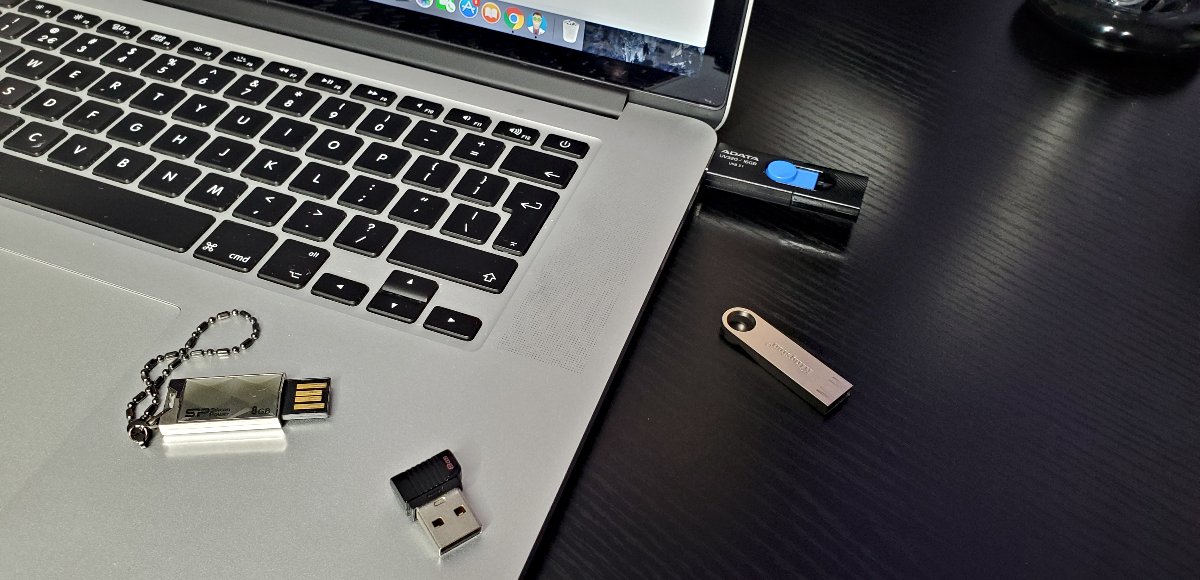
A patient or vendor arrives with files on a USB drive and asks the front desk to open them. Staff want to help, but plugging unfamiliar media into a production workstation can create a security and privacy problem before anyone knows what the files contain. CISA warns that USB drives can spread malicious code, and NIST discusses procedural and technical controls for portable media. This guide applies that general risk to a dental intake workflow; it does not claim a particular drive is infected or prescribe a universal device policy.
Key Takeaways
Give staff an approved route for outside files and an alternative when a USB drive cannot be accepted.
Use a designated, supported review process before importing into clinical applications.
Keep malware review, patient-case matching, permissions, and media custody as separate checks.
Why should outside media have a defined intake route?
A removable drive can carry needed records, unnecessary software, or malicious content. Staff cannot determine trust from a printed label, a familiar sender, or a recent scan reported by someone else. The useful question is whether the practice has an approved way to receive the information without improvising on the front-desk computer.
Define who may accept outside media, what information is needed, and which authorized person decides how it will be reviewed. Offer a verified portal or other approved route when available. Do not tell a patient to install software, disable security, or email an entire archive to an unapproved address simply because the original transfer method is inconvenient.
What should the front desk do before connecting a drive?
Record the sender, intended recipient within the practice, case reference, and stated purpose using the approved intake record. Keep the device in the defined custody process and route it to the designated reviewer. A found, unsolicited, or unexplained drive should be escalated rather than plugged in to discover its owner.
Give staff a short explanation they can use: the practice reviews outside media through a controlled process to protect patient information and clinical systems. The policy should identify an alternate contact when the reviewer is unavailable. It should also explain whether and how media is returned, so a patient's only copy is not casually reformatted, discarded, or left on a counter.
What should the technical review include?
Have the authorized IT team choose a review environment and controls appropriate to the risk and supported workflow. CISA recommends caution with unknown drives, separation of personal and organizational use, disabled automatic execution features, and maintained security software. NIST's portable-media guidance supports combining procedural, physical, and technical controls.
Do not imply that an ordinary malware scan makes every file safe. File types, embedded content, software viewers, device behavior, and the destination application matter. The technician should determine how to inspect files, whether a supported viewer is needed, and when a file cannot be accepted. No universal isolation configuration or command sequence is appropriate for every dental environment.
How should accepted files reach the right patient record?
After technical review, an authorized clinical or records team member should verify patient identity, source, requested material, and case relevance. A clean file can still belong to the wrong person or be an incomplete export. Use the supported application import process and confirm the destination before saving.
Test unfamiliar workflows with synthetic data first. Do not install an executable supplied on a drive just to view a case on a production computer without authorization and vendor review. Use <a href="/dental-software-support/">dental software support</a> to distinguish an application-format problem from a workstation-security problem. Record the import outcome and any files that could not be used.
What privacy and custody questions need an owner?
Decide where temporary copies are stored, who can access them, whether the media is held or returned, and which record documents the handoff. The practice's privacy and records policies govern those decisions. This article does not create a new retention period or replace review of a specific records request.
When storage contains ePHI, include it in the practice's safeguard and risk-management process. Use the <a href="/resources/hipaa-readiness-checklist/">readiness checklist</a> for broader questions and <a href="/blog/dental-device-media-disposal-hipaa-2026/">device disposal guidance</a> for authorized retirement. Accepting media, importing files, and disposing of media are different events with different approvals.
How should exceptions for clinical equipment be handled?
Some supported equipment workflows may depend on removable media. Document the device, purpose, authorized operator, permitted file direction, and vendor instructions rather than applying an improvised exception to every USB port. A treatment device, server, and general front-desk workstation may need different controls.
Confirm a proposed device-control policy will not block legitimate sensors, scanners, or other required peripherals. Coordinate changes with the relevant vendors and test the intended workflow. Use <a href="/blog/dental-it-change-management-2026/">change management</a> to record the rollback path and acceptance evidence. Security should be implemented through supported controls rather than disabling protection to satisfy an undocumented exception.
What if a drive has already been connected?
Tell IT what was connected, which workstation was used, when it happened, and whether files were opened, copied, or executed. Preserve the device and relevant observations through the approved incident route. Do not connect it to additional computers to compare behavior or attempt unsupervised cleanup.
Let the responder determine appropriate containment and investigation. A connection is not proof of compromise, while the absence of a visible alert is not proof of safety. If patient information may be affected, involve the practice's incident and privacy leads. Link the response to the <a href="/blog/dental-cybersecurity-incident-response-plan-2026/">incident plan</a> rather than relying on a restart alone.
What should a monthly intake review test?
Walk a fictional outside-file request through acceptance, custody, technical review, patient matching, import, and final disposition. Include a file that cannot be opened and a day when the usual reviewer is absent. The exercise should show that staff can keep helping the patient without bypassing the approved route.
Review the written instructions after a new scanner, viewer, portal, workstation policy, or vendor requirement changes the process. Keep the policy short enough for staff to use, with a deeper technical procedure available to the reviewer. <a href="/tech-support/dental-cybersecurity/">Dental cybersecurity support</a> can help maintain controls, but no removable-media process guarantees prevention.
What should an intake card tell the next staff member?
Create a short card for the approved workflow: outside files require review; the designated reviewer is identified by role; media is held through the defined custody route; and an approved alternative is available when the device cannot be accepted. Include the verified support route and alternate reviewer. Keep the deeper technical procedure separate so reception staff are not expected to make malware or application-compatibility decisions during patient check-in.
Test the card using a fictional patient who brings a drive containing an unfamiliar viewer and several image files. Staff should be able to explain the process, record the intended clinical recipient, and route the material without running the viewer. The technical reviewer then decides how to inspect the media through the supported process, and the clinical team verifies the patient and usable records before import. Ask what happens if the files cannot be accepted that day and who communicates the next step. Do not use a real patient's only copy for a rehearsal. The card should also explain where to report a lost device or accidental connection. It is an operating aid, not proof that any particular file is safe, and it should be updated when the practice changes its portal, viewer, device policy, or vendor-supported import workflow.
Sources and References
Primary sources used for this article
Regulations, product support information, and incident details can change. Review the linked primary sources for the latest status.
Primary source reviewed October 19, 2026. Workflow suggestions in this article are Dental IT editorial recommendations, not new regulatory requirements.
Primary source reviewed October 19, 2026. Workflow suggestions in this article are Dental IT editorial recommendations, not new regulatory requirements.
Primary source reviewed October 19, 2026. Workflow suggestions in this article are Dental IT editorial recommendations, not new regulatory requirements.
Common Questions
Frequently asked questions
Can we trust a drive because it came from a patient?
Treat the sender respectfully while following the same approved intake process. A trusted person may not know what is on the media.
Does a malware scan guarantee safety?
No. Use the designated review process and supported application workflow; a scan is only one observation.
Should every USB device be blocked?
Choose controls with IT and equipment vendors so legitimate clinical peripherals and supported workflows are considered.
What if someone already plugged it in?
Report the device, workstation, time, and actions taken to authorized support. Do not test it on more computers.