

Common Dental Software Issues and How to Keep Your Practice Running Smoothly
Learn the most common dental software issues affecting Open Dental, Eaglesoft, Dexis, imaging workflows, billing, claims, login access, updates, and practice productivity.
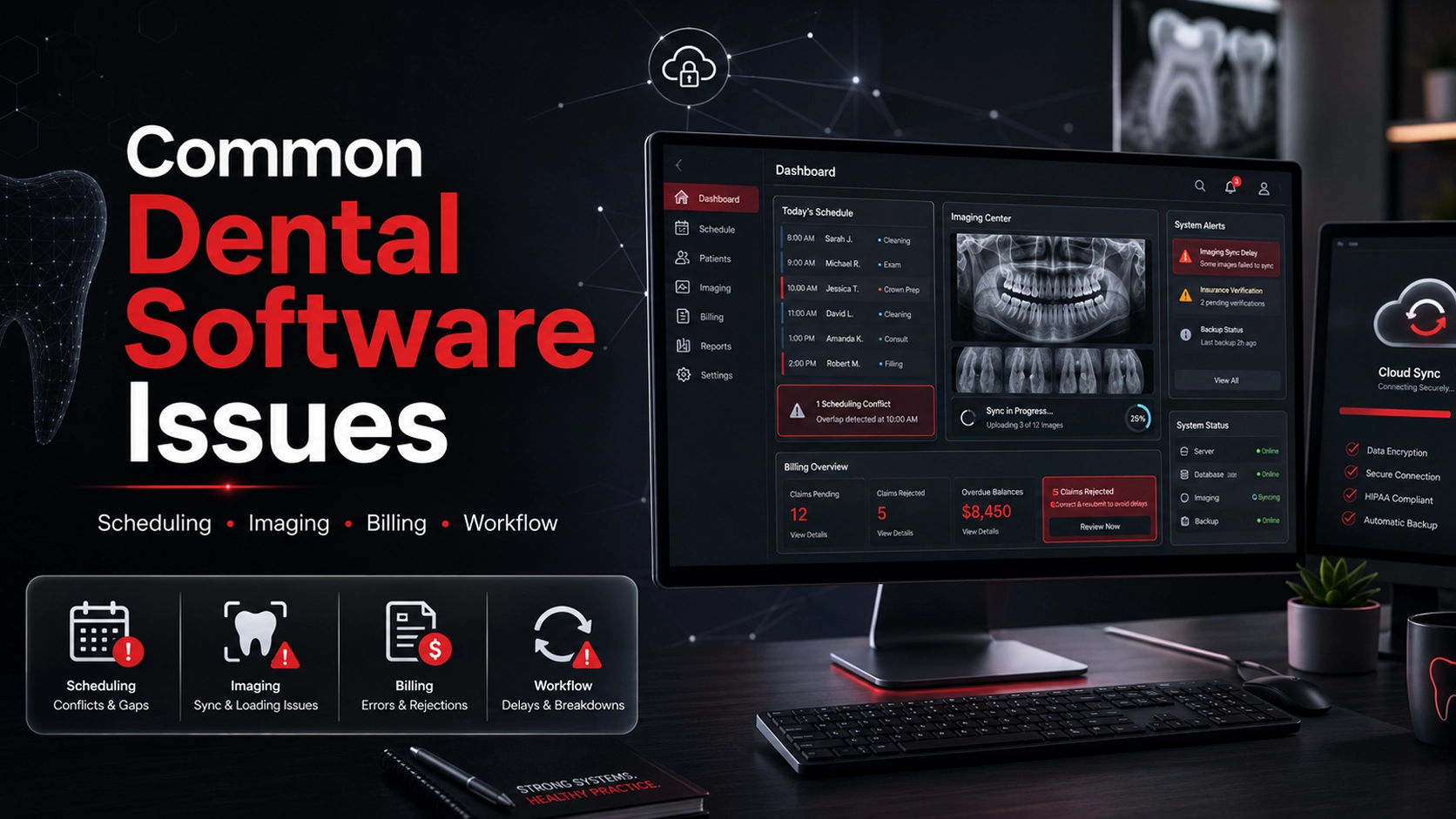
Dental practices depend on software every day to keep patient care, scheduling, imaging, billing, claims, and communication moving. When systems like Open Dental, Eaglesoft, Dexis, or connected dental platforms slow down or stop working correctly, the issue is never just technical. It affects the front desk, clinical team, patient experience, and production. A stable dental software environment helps your practice work faster, reduce stress, and avoid recurring disruptions.
Key Takeaways
Dental software issues can affect scheduling, charting, imaging, billing, claims, check-in, check-out, and patient communication.
Common problems include slow practice management software, Dexis imaging issues, integration failures, login problems, update conflicts, and billing workflow interruptions.
Many recurring software issues are caused by the surrounding IT environment, including workstations, network performance, servers, permissions, updates, and device communication.
Why software problems hit dental practices so hard
In many businesses, software issues are frustrating. In a dental practice, they can disrupt the entire day. A single software problem can affect appointment scheduling, digital imaging access, charting, treatment coordination, billing, insurance claims, patient communication, and check-in or check-out workflows.
Because dental offices move quickly and often run on tightly scheduled production, even a minor software delay can create a chain reaction. A slow schedule screen can delay check-in. Imaging issues can delay diagnosis. Billing problems can create front-desk bottlenecks. Login problems can stop team members from completing normal tasks.
That is why dental software reliability matters. Your practice management software, imaging software, claims tools, communication systems, and payment workflows need to work together smoothly throughout the day.
When software issues become recurring, the team often starts building workarounds. Those workarounds may keep the day moving temporarily, but they usually create inefficiency, frustration, and more room for mistakes.
Practice management software freezing or running slowly
One of the most common problems dental offices experience is slow or freezing practice management software. Systems like Open Dental and Eaglesoft are central to daily operations, so performance issues can affect the entire practice.
When the software becomes slow, unresponsive, or unreliable, the front desk and clinical team lose valuable time. This can affect checking patients in, reviewing schedules, entering treatment notes, posting payments, updating patient records, and processing insurance information.
A slow system is especially disruptive during peak hours. Morning check-ins, hygiene transitions, treatment plan reviews, and end-of-day billing can all become more stressful when the software does not respond quickly.
The cause is not always the software itself. Slow performance may come from outdated computers, server strain, poor network performance, workstation configuration issues, database problems, or background processes that interfere with normal use.
Dexis and dental imaging software issues
For many dental practices, imaging software is one of the most important parts of clinical workflow. If Dexis or another imaging platform fails to load, disconnects from workstations, or does not communicate properly with the main practice software, diagnosis and treatment flow can slow down quickly.
Common imaging-related problems include images not loading quickly, sensors or scanners disconnecting, imaging hardware not being recognized, patient images not syncing correctly, and broken links between imaging and charting systems.
These issues can be frustrating for providers and patients. When imaging access is delayed, the doctor may have to wait, the assistant may need to troubleshoot during the appointment, and the patient may feel the slowdown.
Imaging support should look at the full environment: software settings, workstation performance, device drivers, hardware connections, permissions, network communication, and integration with the practice management system.
Software integration breakdowns between systems
Dental practices often rely on several systems working together. Practice management platforms, imaging software, communication tools, claims systems, payment tools, forms, and reporting platforms all need to communicate correctly.
When integration breaks down, the office may experience duplicate data entry, missing patient information, broken links between systems, communication errors between workstations, and delays moving from front-office workflows to clinical workflows.
Even if each tool works individually, the overall environment can still fail if the systems are not configured to work together smoothly. This is why integration troubleshooting needs to consider the whole practice technology stack.
A strong IT partner should help identify where the breakdown is happening. The problem may be inside the software, but it may also be caused by permissions, workstation setup, network instability, outdated versions, or vendor configuration issues.
Login errors, access problems, and permission issues
User access problems are another common source of frustration in dental offices. Team members may be unable to log in, may lose access unexpectedly, or may run into permission errors that stop them from completing routine tasks.
These problems often appear at the worst possible time, such as during a busy morning rush, while checking in patients, or in the middle of a clinical appointment.
Access issues may be caused by incorrect user permissions, account misconfiguration, credential sync failures, workstation-specific errors, network communication problems, or changes made during software updates.
Dental practices should have a clear process for user access. New employees need the right permissions, existing users need access reviewed when roles change, and former employees should be removed quickly from systems and remote access tools.
Update problems and version conflicts
Software updates are necessary, but in dental practices they can create complications if they are not handled carefully. Updates to Open Dental, Eaglesoft, Dexis, imaging tools, claims systems, or connected applications can affect compatibility and performance.
Common update-related problems include software behaving differently after an update, printers or scanners no longer responding, imaging integrations failing, older workstations struggling with newer versions, and staff confusion after interface changes.
The risk increases when software is updated without reviewing the surrounding environment. Workstations, operating systems, device drivers, server settings, and connected hardware all need to be considered.
Updating software without planning can create as many problems as leaving systems outdated. The best approach is to prepare, verify compatibility, communicate with the team, and have a plan if something does not work as expected.
Claims, billing, and payment workflow issues
Dental software problems do not only affect clinical teams. They can directly affect revenue. When billing modules, insurance tools, payment systems, or claims workflows stop working properly, the practice may experience delays that affect cash flow.
Common problems include delayed claims submission, incorrect posting workflows, insurance processing slowdowns, payment interruptions, and front-desk bottlenecks during check-out.
These issues increase administrative stress and can create a poor patient experience. Patients expect payment and insurance conversations to be handled smoothly, especially after an appointment is complete.
Billing and claims support should include both software troubleshooting and environment review. A claims issue may involve software configuration, clearinghouse communication, internet reliability, workstation settings, user permissions, or vendor-side problems.
Why dental software problems keep coming back
Many recurring dental software issues are not caused by the software alone. The real problem may be deeper in the IT environment supporting it.
Common root causes include outdated computers, weak network performance, server issues, improper workstation setup, poor software configuration, incomplete updates, lack of maintenance, and device communication failures.
This is why some practices feel stuck in a cycle of repeating the same issue. A workstation freezes, a sensor disconnects, a login fails, or a system slows down. The symptom gets fixed temporarily, but the underlying cause remains.
Dental IT support should focus on root-cause troubleshooting. The goal is not just to get through today’s issue, but to reduce the chance that the same problem returns again next week.
How Dental IT helps resolve software issues
Dental IT helps practices reduce recurring software issues by improving the technology environment behind the systems they rely on every day. That includes workstations, networks, servers, device communication, software configuration, access controls, and vendor coordination.
When a practice is dealing with Open Dental issues, Eaglesoft problems, Dexis imaging disruptions, or other dental software frustrations, the first step is understanding whether the issue is software-specific or environment-related.
We help practices troubleshoot slowdowns, errors, integration problems, imaging workflow interruptions, login access issues, update conflicts, billing bottlenecks, and recurring system disruptions.
The goal is a more stable office. When software works consistently, the team can move patients through the day with less stress, fewer interruptions, and better confidence in the systems they use.
What dental practices should expect from their IT partner
Dental practices should not have to accept constant software frustration as normal. An experienced dental IT partner should understand how practice management software, imaging systems, billing tools, claims workflows, and clinical workstations fit together.
Your IT partner should help reduce recurring issues, improve software stability, protect imaging and charting workflows, support billing and claims systems, improve workstation performance, minimize downtime, and coordinate with software vendors when needed.
The best support is proactive. Instead of only reacting when something breaks, your IT partner should help identify outdated systems, weak network areas, backup concerns, workstation problems, and software risks before they create larger disruptions.
When the right support is in place, your software becomes more dependable, your team becomes more efficient, and your office runs with less stress.
Why software stability matters for patient experience
Patients may never see the software issue itself, but they notice the results. They notice longer wait times, slow check-in, delayed treatment flow, front-desk confusion, rescheduled appointments, payment delays, and communication problems.
That makes software stability part of the patient experience. A smoother technology environment helps create a smoother visit from the moment a patient checks in to the moment they leave.
Stable software also supports the team. When staff members are not constantly fighting technology, they can focus more attention on patients, communication, and care.
For modern dental practices, software reliability is not just an IT concern. It is part of operational efficiency, production, patient satisfaction, and practice growth.
Common Questions
Frequently asked questions
What are the most common dental software issues?
Common dental software issues include slow practice management software, freezing systems, imaging software problems, Dexis integration issues, login errors, permission problems, update conflicts, billing delays, claims workflow interruptions, and software integration failures.
Why does Open Dental or Eaglesoft run slowly?
Open Dental, Eaglesoft, or other practice management systems may run slowly because of outdated workstations, server performance issues, weak network connections, database problems, software configuration issues, or background processes affecting performance.
What causes Dexis imaging issues?
Dexis imaging issues may be caused by workstation problems, sensor or scanner connection issues, driver conflicts, integration problems, network communication errors, permissions, or software version conflicts.
Can Dental IT help coordinate with software vendors?
Yes. Dental IT can help troubleshoot the surrounding IT environment, identify likely root causes, and coordinate with dental software vendors when vendor-side support is needed.