

Dental Renovation IT: Room-by-Room Cutover Guide
Plan dental renovation IT with room inventories, contractor access, cabling checks, imaging dependencies, temporary workspaces, testing, and rollback.
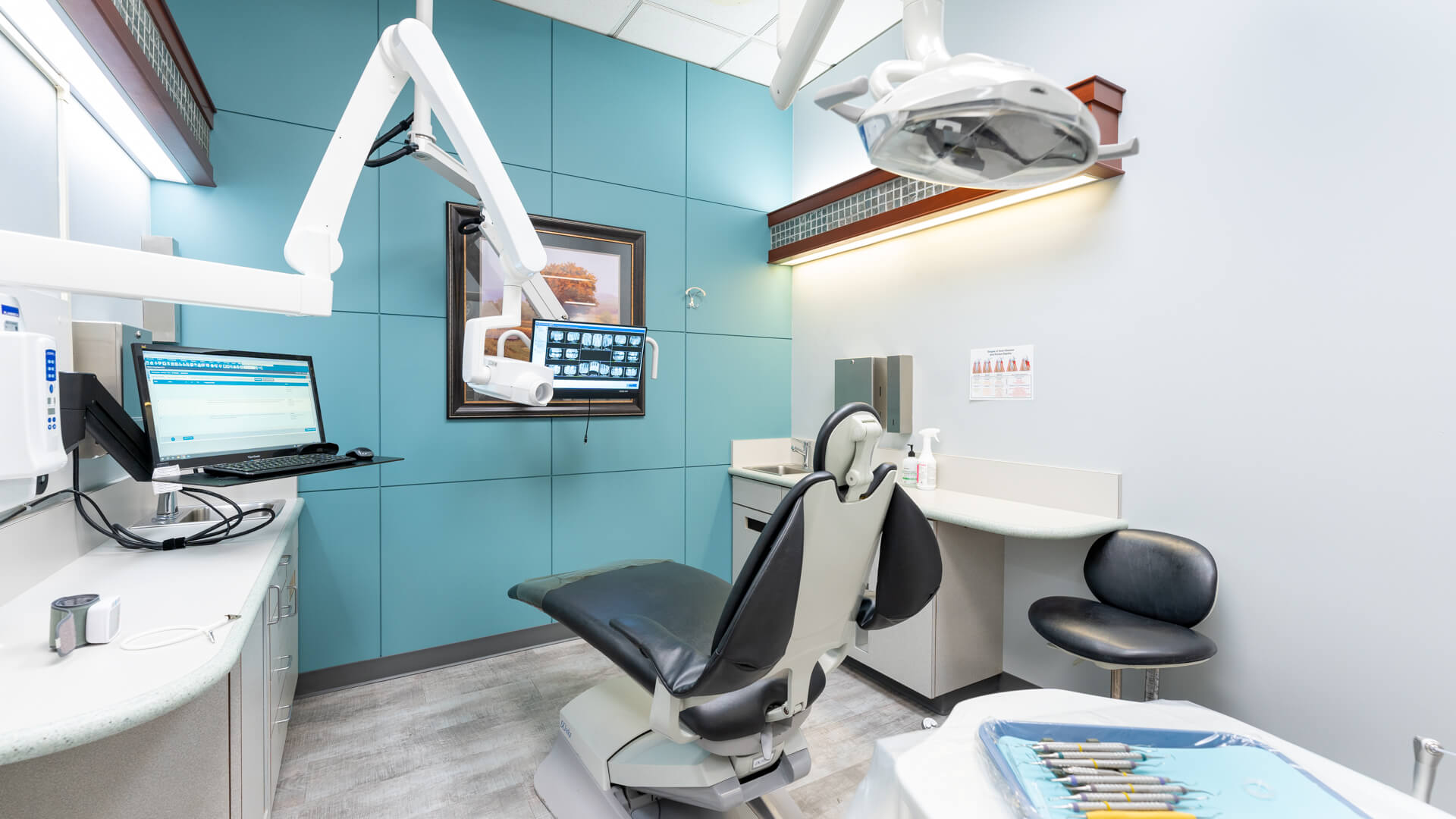
A renovation project can leave the building looking finished while the dental workflow is still incomplete. A moved workstation may reach the internet but not the imaging system; a temporary reception desk may expose screens to a new waiting area. The practical IT task is to preserve the functions of each room through construction, temporary operations, and final acceptance. HHS physical-safeguard guidance covers facilities, workstations, and device handling. The room-by-room method below is a proposed planning tool that applies that context without claiming a universal construction standard, fixed project cost, or guaranteed opening date.
Key Takeaways
Inventory the function of each room, including peripherals and application dependencies, before disconnecting equipment.
Define temporary workspace privacy and contractor access alongside cabling and installation work.
Accept the room through a complete approved workflow test and keep a practical fallback until the change is verified.
What should be documented before a room is disconnected?
Give every affected room a short dependency sheet. Record the workstation, network connection, application shortcuts, printers, scanners, sensors, cameras, phones, displays, and any local settings that staff rely on. Add the responsible vendor and the approved person who can test each clinical device. Photograph connections without capturing patient information, and label the equipment so it returns to the intended room.
Document function as well as inventory. A computer called Operatory 3 might also be the only machine with a particular driver, export configuration, or integration. Ask staff to walk through the tasks they perform there and capture those dependencies before the contractor moves the desk. Keep the plan in the approved project location so the electrician, IT provider, office manager, and device vendor can work from the same room reference.
How should contractor access be organized?
HHS describes physical safeguards as protection against environmental hazards and unauthorized access, including facility and workstation controls. For renovation planning, apply the practice's approved access procedures to the work area. Decide who escorts contractors, which equipment stays accessible, and where moved devices and storage media are kept. Construction access should not automatically become access to patient systems.
Arrange the work so contractors do not need clinical logins merely to move furniture or verify power. Lock or shut down equipment under the approved plan, protect the server and network areas, and identify the person who can authorize a deviation. Record custody when a device leaves the office for storage or repair. These are planning recommendations; the actual safeguards should follow the practice's risk assessment and responsible privacy/security review.
What changes when reception or billing moves temporarily?
Walk the temporary layout before patients use it. Check screen sightlines from the entrance, waiting area, and contractor path. Place printers and scanning stations where the intended staff can collect output without leaving sensitive material unattended. Verify that the team can lock screens, sign in individually, and use approved accounts even if the desk is only temporary.
Map the temporary network path and approved wireless use. An extension cable, spare access point, or personal hotspot should not quietly become permanent infrastructure. Confirm how phones, scheduling, payments, and document delivery will work during the transition. If the fallback cannot support a clinical or administrative task, tell the business owner before opening the temporary space so patient operations can be planned realistically.
Who checks cabling, power, and device compatibility?
Assign responsibilities before installation: who designs the network connections, who performs the cabling work, who verifies power, and which vendor accepts the connected clinical devices. Do not use an IT checklist as a substitute for licensed construction or electrical work. Ask the relevant professionals to confirm the applicable requirements and document acceptance of their part of the project.
For each device, check the vendor-supported connection and installation method. A new room arrangement may change cable routes, workstation placement, or the distance to a peripheral. Verify those details with the device vendor rather than assuming any adapter or longer cable will work. Record approved choices in the room sheet and leave enough time for correction before the final clinical workflow test.
How should the practice sequence the cutover?
Divide the project into bounded changes the team can verify. Agree on the affected room, the work window, the starting configuration, the responsible technician, and the fallback. Decide whether the practice can continue using other rooms while the change is underway. A phased renovation should have a documented boundary between construction activity and patient operations.
Before moving shared equipment, identify whether several rooms depend on it. A switch, printer, imaging workstation, or service host may support more than the room where it physically sits. Review current backups and the approved recovery procedure for systems affected by the move. The plan should explain what must be true before the next phase starts, instead of treating completion of furniture installation as technical acceptance.
What is a useful room acceptance test?
Test the staff workflow from sign-in through the approved application and peripheral tasks. Confirm access to the expected PMS and image repository, appropriate printing and scanning, phone behavior, and authorized network resources. Ask the device vendor to perform any required device-specific testing. Use vendor-approved synthetic records and keep real imaging exposures or clinical activity outside an improvised IT test.
Have the actual room users review the result. A technician may confirm connectivity while missing a room-specific printer or shortcut that staff need. Record pass, fail, and deferred checks separately, with a responsible owner for each gap. Recheck screen privacy and physical access in the finished layout. Do not sign off a room as fully ready when an essential integration is still awaiting vendor acceptance.
When is rollback better than continuing the move?
Define stop conditions before the work starts: unavailable critical software, an unverified imaging dependency, incomplete cabling acceptance, or an unusable temporary workflow. Decide who can pause the project and whether the previous setup can be restored safely. A rollback plan should describe equipment, location, configuration, and staff communication; it should not depend on the outgoing furniture still being available by chance.
After acceptance, update room names, network documentation, inventory, support notes, and any changed vendor responsibilities. Remove temporary connections through a planned check rather than leaving them behind because everything appears to work. Dental IT can coordinate the technology part of the renovation while construction professionals, equipment vendors, and practice leaders retain their respective approval responsibilities.
How should the final handoff be organized by room?
Keep one acceptance sheet per affected room, with a version that the office manager can understand. Include equipment returned, application access, peripherals tested, device-vendor acceptance, privacy review, temporary connections removed, and remaining exceptions. Name the person who accepts clinical workflow and the person who closes the technology work. This is a proposed project record, not a construction inspection certificate.
Walk through a fictional incomplete handoff: the workstation connects, but the intended scanner has not been tested. The room should remain partially accepted until the responsible vendor and staff complete the agreed check. Record whether the room can be used for another approved task and who decides that question. A clear partial status supports patient scheduling decisions more effectively than an all-or-nothing claim that the whole renovation is done.
Sources and References
Primary sources used for this article
Regulations, product support information, and incident details can change. Review the linked primary sources for the latest status.
Facility, workstation, and device/media context; checked October 12, 2026.
Current physical-safeguard standards; room cutover recommendations are an operational application, not a mandated construction checklist.
Common Questions
Frequently asked questions
Is internet access enough to accept a renovated operatory?
No. Verify the actual software, imaging, peripherals, permissions, and staff workflow using the appropriate vendor-supported tests.
Can temporary reception use a personal hotspot?
Review the practice's approved connectivity and security plan. Do not improvise a new data path without understanding its controls and operational limitations.
Should IT certify electrical or construction work?
No. Assign that acceptance to the appropriate qualified professionals. IT coordinates the connected technology and documents its own checks.
Do contractor visits require clinical accounts?
Construction access and access to patient systems are separate decisions. Use the practice's approved facility and account-access procedures.
What should remain after the project closes?
Updated room inventories, connection maps, vendor acceptance evidence, support ownership, and the resolution of temporary arrangements.