

Why Dental Practices Keep Having Software Problems
Learn why dental practices keep experiencing software problems with Open Dental, Eaglesoft, Dexis, imaging workflows, integrations, and slow systems — and how proactive dental IT support can prevent recurring issues.
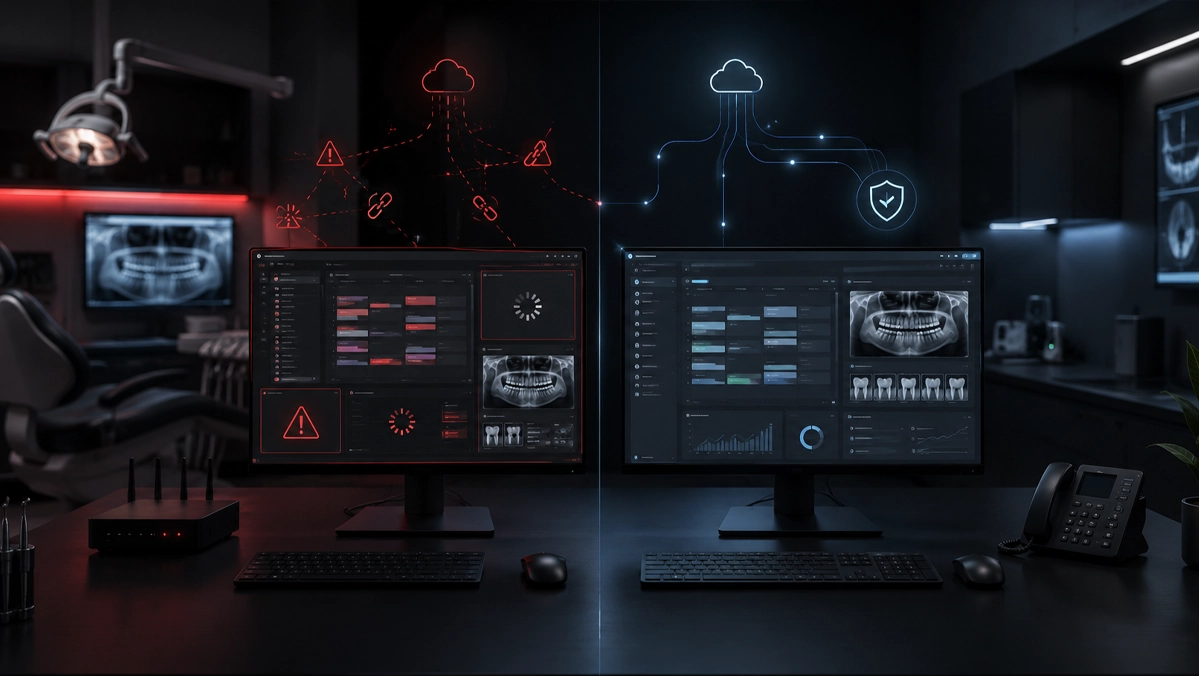
Modern dental practices depend on software for scheduling, charting, imaging, claims, treatment planning, recall, payments, and patient communication. When systems slow down, disconnect, fail to sync, or stop working, the disruption spreads across the office quickly. In many cases, the software is only where the problem appears. The real cause may be aging workstations, weak networks, inconsistent updates, permissions, integrations, storage, security tools, or missing proactive maintenance.
Key Takeaways
Dental software problems often come from the surrounding IT environment, not only the software itself.
Slow Open Dental, Eaglesoft freezing, Dexis imaging issues, login errors, and broken integrations can all point to deeper infrastructure problems.
Proactive IT maintenance helps dental practices reduce recurring software friction, downtime, staff frustration, and patient care delays.
Why software stability matters in dental practices
In many industries, a slow application is frustrating. In dentistry, slow software can disrupt patient care, delay treatment flow, frustrate the front desk, and create bottlenecks throughout the day.
Dental offices run on tight schedules. Providers need quick access to images, hygienists need reliable charting, and the front desk needs scheduling, insurance, and payment workflows to respond quickly.
Patients may not know whether a delay came from a workstation, server, network switch, database, or software integration. They simply notice the slowdown and confusion.
That makes software stability part of the patient experience, the team experience, and the business model of the practice.
The most common software complaints dental offices report
Dental practices often describe similar issues even when they use different systems. The software feels slow, images fail to load, insurance workflows get delayed, or one workstation behaves differently from another.
Common complaints include slow scheduling or charting screens, Dexis imaging delays, login failures, permission errors, payment posting issues, inconsistent workstation behavior, and integrations that stop working without a clear explanation.
These problems can appear random, but they usually follow patterns when the full environment is reviewed carefully.
Open Dental and Eaglesoft performance problems
Practice management platforms like Open Dental and Eaglesoft sit at the center of daily operations. When they freeze, lag, or behave inconsistently, the entire office loses rhythm.
Performance problems may appear as long login times, delayed schedule views, slow account activity, freezing when moving between modules, or inconsistent behavior between operatories.
The application may be where the team sees the issue, but the root cause may be workstation performance, server strain, network instability, user permissions, storage problems, or background security processes.
A strong troubleshooting process should review the full environment before assuming the software itself is defective.
Dexis and dental imaging workflow interruptions
Imaging problems feel especially urgent because they interrupt clinical workflow. If Dexis or another imaging platform fails to load, disconnects from hardware, or cannot pull up patient images, providers lose momentum and patients notice the delay.
Imaging issues may come from sensor connectivity, workstation limitations, network bottlenecks, storage performance, driver conflicts, permissions, or broken integrations with the practice management system.
Practices sometimes replace hardware before diagnosing the full workflow, which can be expensive and may not fix the real issue.
The better question is not only why an image failed to load. The better question is what makes image access unreliable in the first place.
Broken integrations between dental systems
Most dental offices rely on several connected tools: practice management software, imaging software, payment platforms, claims tools, patient communication systems, forms, reminders, and analytics.
When integrations break, the office may see duplicate data entry, missing information, broken links between charting and imaging, payment delays, launch errors, and confusion over which system has the correct information.
These are not small annoyances. They increase inefficiency, create room for mistakes, and reduce confidence in the technology the team depends on.
A healthy dental IT environment treats integrations as part of the core workflow, not as afterthoughts.
Why the same software issues keep coming back
One of the most frustrating patterns for a dental office is when the same issue is fixed temporarily, only to return days or weeks later.
Recurring issues often mean the practice is solving symptoms instead of root causes.
Common root causes include aging workstations, poor network configuration, inadequate server resources, incomplete updates, inconsistent permissions, local machine corruption, unreliable backups, endpoint security conflicts, or hardware that no longer fits the practice’s workflow.
The software may be where the problem appears, but the surrounding technology stack is often where the explanation lives.
How proactive IT maintenance prevents recurring issues
Reactive IT waits for visible failure. Proactive IT looks for weakness before it interrupts the practice.
For dental offices, proactive maintenance should include patching, hardware lifecycle review, performance monitoring, access management, workstation optimization, security review, backup verification, and workflow documentation.
Patterns matter. If the same workstation drops imaging connections repeatedly, that pattern should be investigated instead of dismissed as a random glitch.
Practices with proactive support usually experience fewer recurring surprises, more predictable systems, and better readiness for growth.
What Dental IT reviews before blaming the software
When a practice reports that Open Dental is slow, Eaglesoft is freezing, or Dexis is unreliable, the right first step is not to assume the vendor platform is defective.
Dental IT reviews workstation age and health, memory, storage, network reliability, server communication, update history, permissions, endpoint protection, integration pathways, imaging dependencies, and real team workflows.
Two offices can use the same dental software and have completely different experiences depending on how their technology environments are designed and maintained.
Good diagnosis comes from understanding the full workflow, not guessing based on the application name alone.
Signs your practice needs a deeper review
A deeper software and infrastructure review may be needed if your team experiences repeat slowdowns, recurring login issues, inconsistent imaging performance, repeated restart routines, syncing delays, or frequent complaints that systems are behaving strangely.
Other warning signs include charting or imaging working in one room but not another, staff avoiding updates because previous updates caused problems, software slowing down during busy hours, and vendors blaming each other without a clear resolution.
If no one can clearly explain backup status, workstation age, infrastructure standards, or recurring issue history, the practice may be operating with unnecessary risk.
Best practices for fewer dental software problems
A more reliable software environment usually comes from disciplined habits, not one dramatic change.
Practices should standardize workstations where possible, review hardware age before slowdowns become normal, treat imaging as a critical production system, document recurring issues, and keep updates planned instead of random.
They should also review permissions, monitor backup health, test recovery readiness, and make IT decisions based on real dental workflow impact.
The goal is to create an environment where software can perform consistently because the systems around it are healthy.
Why software stability matters for growth
Software issues often become worse as a practice grows. More operatories, more users, more images, more digital workflows, and more integrations all increase pressure on the environment.
A practice that wants to add providers, expand locations, increase production, or modernize the patient experience needs infrastructure that can scale.
Without that foundation, growth can magnify technical weaknesses that were already present.
Software stability is not only a maintenance concern. It is a growth concern.
How Dental IT helps build a more reliable software environment
Dental IT helps practices move beyond quick fixes and toward a healthier long-term technology foundation.
Our role is not only to respond when systems fail. It is to reduce the conditions that allow recurring failures to keep happening.
We help identify the real causes behind slow Open Dental performance, recurring Eaglesoft issues, Dexis imaging problems, broken integrations, and repeated workflow disruptions.
By reviewing the systems, workflow, and infrastructure together, Dental IT helps practices reduce downtime, improve consistency, strengthen operations, and create a better experience for staff and patients.
Common Questions
Frequently asked questions
Why does dental software keep slowing down?
Dental software may slow down because of workstation age, server performance, network issues, storage problems, permissions, updates, endpoint security conflicts, or integration problems. The software is often where the issue appears, but not always where it starts.
Are Open Dental or Eaglesoft performance problems always caused by the software?
No. Slow performance in Open Dental or Eaglesoft can be caused by the surrounding IT environment, including computers, servers, networks, user permissions, updates, and security tools.
What causes Dexis imaging issues?
Dexis imaging issues can come from sensor connectivity, workstation performance, drivers, permissions, network stability, storage performance, or integration problems with the practice management system.
How can dental practices prevent recurring software issues?
Practices can reduce recurring issues through proactive maintenance, workstation standardization, hardware lifecycle planning, update management, backup verification, permissions review, network monitoring, and better documentation.
When should a dental practice request a software and infrastructure review?
A review is recommended when the practice has repeated slowdowns, imaging interruptions, login problems, software freezing, frequent restarts, inconsistent workstation behavior, or recurring vendor blame without a clear resolution.