

Open Dental: Local Server vs. Cloud Hosting Compared
Compare local server and cloud hosting options for Open Dental, including performance, costs, security, backups, integrations, and remote access.
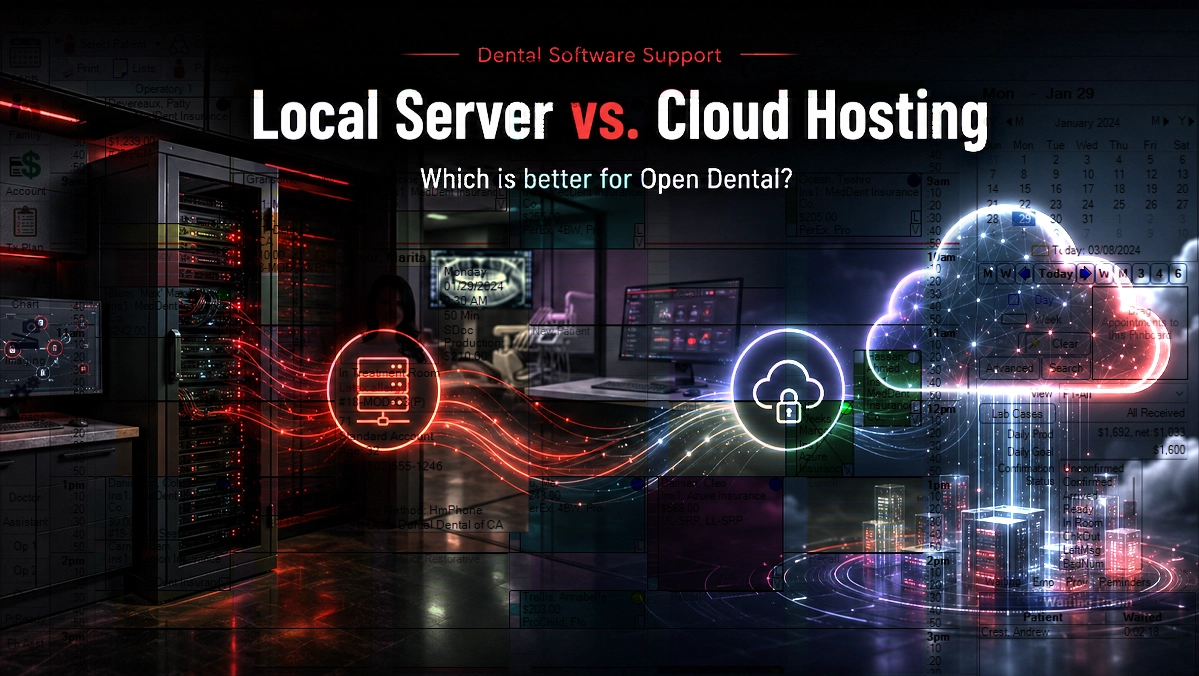
Choosing between a local server and cloud hosting is one of the most important infrastructure decisions an Open Dental practice can make. The right setup affects software performance, remote access, imaging integrations, cybersecurity, backups, monthly costs, and what happens when the internet or server goes down. Neither option is automatically better for every dental office. The best choice depends on your locations, workflows, internet reliability, connected equipment, growth plans, and ability to maintain the environment.
Key Takeaways
A local Open Dental server offers greater on-site control and may keep core software available during an internet outage, but the practice is responsible for server maintenance, security, and backups.
Cloud hosting can simplify remote and multi-location access while reducing on-site server upkeep, but performance and availability depend heavily on reliable internet and a properly managed hosting environment.
The decision should account for imaging systems, third-party integrations, backup responsibilities, recovery expectations, connectivity, security, costs, and future growth.
What local server and cloud hosting mean for Open Dental
With a local server setup, the Open Dental database and related files are hosted on a physical or virtual server inside the dental office. Workstations typically connect to that server through the practice’s local network, while secure remote access can be added when team members need to connect from outside the office.
Cloud hosting moves the Open Dental server environment to an off-site data center. Depending on the solution, this could mean using Open Dental Cloud or placing Open Dental in a third-party hosted environment managed by an IT provider. These options are not identical, so practices should understand who manages the server, database, updates, security, backups, and technical support.
A cloud-hosted server does not remove the need for IT support. The server still needs to be secured and maintained, and the computers, network, Wi-Fi, imaging devices, printers, scanners, and other equipment inside the office still require management.
The hosting location is only one part of the decision. A successful Open Dental environment also depends on workstation performance, network design, internet reliability, backup coverage, security controls, vendor compatibility, and a clear support plan.
When a local Open Dental server is the better fit
A local server can be a strong choice for a single-location practice with a reliable internal network, several locally connected devices, and an experienced IT provider that can maintain the environment. Because workstations communicate with a server inside the office, day-to-day responsiveness is not as dependent on internet latency.
A local Open Dental database may also remain accessible through the office network during an internet outage, provided that the server, workstations, and network equipment still have power and are functioning. Internet-based services such as electronic claims, online communications, and other cloud integrations may remain unavailable until connectivity returns.
Local hosting gives the practice more direct control over server specifications, maintenance schedules, software updates, storage, backup tools, and the timing of infrastructure changes. That control can be valuable for practices with specialized imaging systems, custom integrations, or workflows that do not perform well in a hosted environment.
The tradeoff is responsibility. The practice and its IT provider must maintain the server, replace aging hardware, apply security updates, monitor storage, protect the network, verify backups, test restores, and prepare for hardware failure, power loss, theft, flooding, or other disruptions.
When cloud hosting is the better fit
Cloud hosting can be attractive for practices that want to reduce on-site server upkeep or make Open Dental easier to access from multiple offices. A centralized hosted environment can allow authorized users to reach the same system without keeping the primary database at one dental location.
This model may be especially useful for growing groups, mobile teams, centralized billing departments, remote administrators, and practices whose patients regularly move between locations. It can also reduce the disruption associated with replacing a physical office server every several years.
Cloud hosting still has important dependencies. Users need a reliable, low-latency internet connection, and the practice should consider a secondary internet option for outages. For South Florida offices, connectivity failover, power protection, and hurricane recovery planning should be part of the hosting decision.
Practices must also confirm that their imaging software, sensors, scanners, signature pads, printers, bridges, and third-party applications will work correctly in the proposed environment. Some systems can remain local while Open Dental is hosted, but the complete workflow should be tested before migration.
What to compare before making the decision
Start with performance and availability. A local server depends on the condition of the office server, network, power, and cooling. A cloud environment depends on the hosting platform and the practice’s internet connection. Ask what happens during a server failure, internet outage, power outage, or data center incident and how the team will continue working.
Compare the total cost instead of only the initial price. Local hosting may require a larger upfront investment for server hardware, software licensing, battery backup, installation, security, and future replacement. Cloud hosting usually creates an ongoing monthly expense that may vary based on providers, locations, users, sessions, storage, backup services, and support.
Review security and backup responsibilities carefully. Neither local hosting nor cloud hosting makes a practice automatically HIPAA compliant. The environment still needs appropriate access controls, encryption, monitoring, updates, backup protection, vendor agreements, employee procedures, and a documented recovery plan.
Confirm exactly what is protected by the backup system. The Open Dental database, OpenDentImages or A to Z folder, scanned documents, and any separate imaging databases may be stored in different locations. Ask about backup frequency, retention, off-site storage, restore testing, recovery time, data export, and the process for leaving the hosting provider.
Which option is better for your dental practice?
A local server may be the better choice when the practice has one primary location, dependable IT management, significant local imaging requirements, limited internet reliability, or a strong preference for controlling its own infrastructure and update schedule.
Cloud hosting may be the better choice when the practice has reliable internet, needs convenient multi-location or remote access, wants to reduce physical server upkeep, and has confirmed that its critical integrations and devices are compatible with the hosted environment.
Some practices benefit from a hybrid design. Open Dental may be hosted while certain imaging applications or device services remain inside the office. A hybrid setup can provide flexibility, but it also creates additional dependencies that should be documented, secured, monitored, and tested.
The final decision should follow a technical assessment rather than a general assumption that newer technology is always better. An experienced dental IT provider can review your Open Dental database, imaging environment, network, integrations, internet connections, backup needs, and growth plans before recommending a local, cloud, or hybrid solution.
Common Questions
Frequently asked questions
Is Open Dental cloud-based?
Open Dental can be operated from a local server, through Open Dental Cloud where available, or in a properly designed third-party hosted environment. The management responsibilities, connection method, features, costs, and integration compatibility can vary between these options.
Does Open Dental run better on a local server or in the cloud?
Performance depends on the design of the environment. A well-maintained local server can provide fast performance over the office network, while a properly configured cloud environment can work well for remote and multi-location access. Server resources, network quality, internet latency, database size, and connection method all affect the user experience.
Can a dental practice move Open Dental from a local server to cloud hosting?
Yes, but the migration should be carefully planned. The practice should review the database, OpenDentImages folder, imaging systems, third-party integrations, backups, security requirements, internet reliability, and user access before scheduling a tested migration and final cutover.